KYORITSU
HOME

DOWNLOAD
  • Software
  • Product Catalogue
  • Instruction Manual

 
For the user who has the dialogue box of "Insert Disk" on your PC during USB driver installation.
In case the dialogue box appears during USB driver installation, please follow the procedures mentioned below.

 
MODEL 5000/5001, KEW 5010/5020
The user which has CD of KEW LOG Soft2 Ver.2.06 before
The user which does not have CD of KEW LOG Soft2 Ver.2.06 before

 
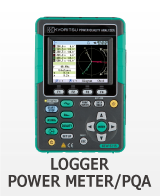
MODEL 6300
The user which has CD of KEW POWER PLUS2 Ver.2.04 before
The user which does not have CD of KEW POWER PLUS2 Ver.2.04 before

 
KEW 6310
The user which has CD of KEW PQA MASTER Ver.2.04 before
The user which does not have CD of KEW PQA MASTER Ver.2.04 before


Back to Software PageTop

Copyright(c)2004 KYORITSU ELECTRICAL INSTRUMENTS WORKS, LTD. Sitemap | Contact Us | Terms of Use | Privacy Policy